Virtual staging for real estate at $1 a photo
Stage an empty listing photo in about 30 seconds, no subscription: 5 photos cost $5. Or go as low as $0.11 a photo on the yearly Agency plan ($1,999/yr for 1,500 photos a month).
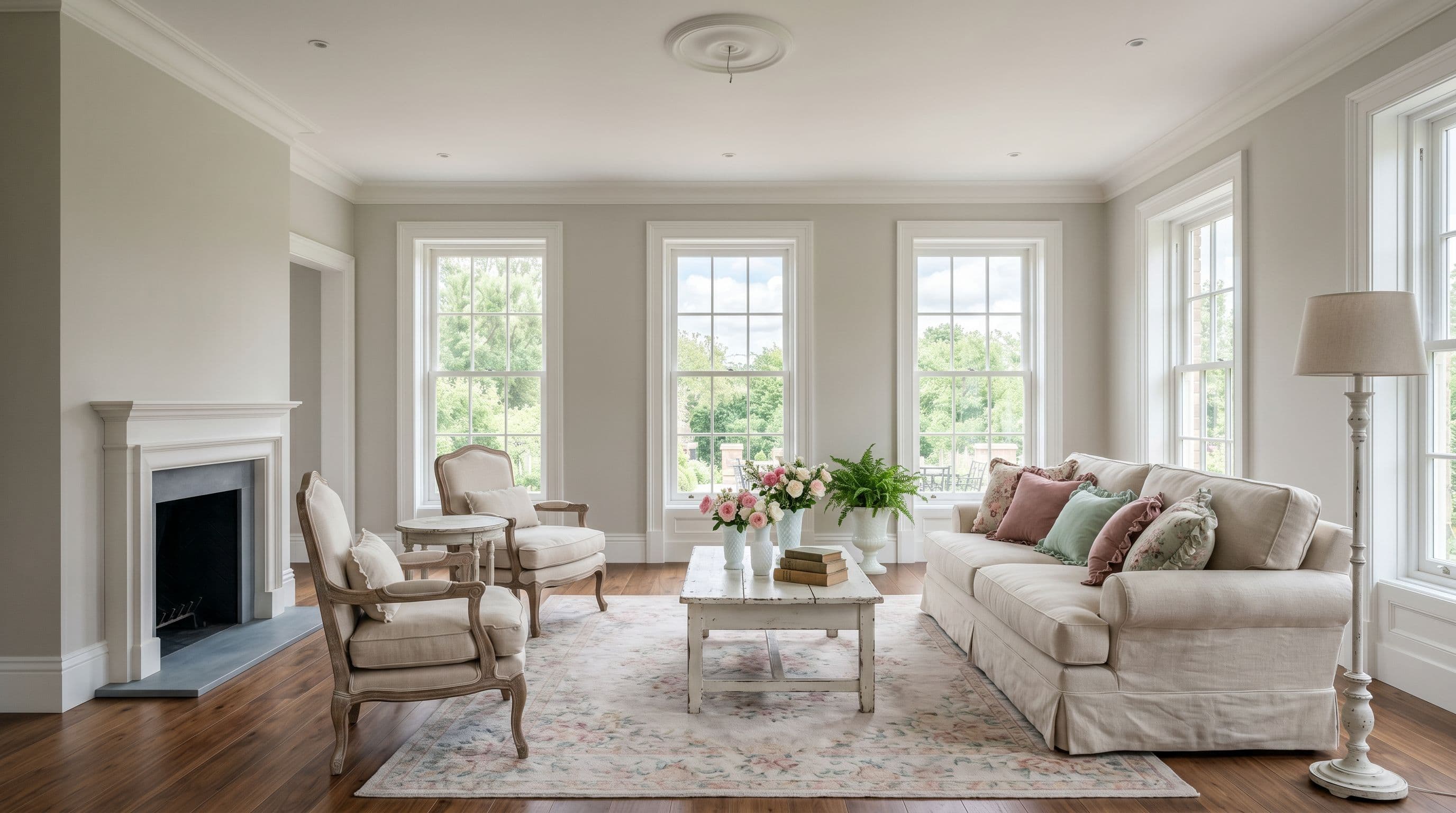
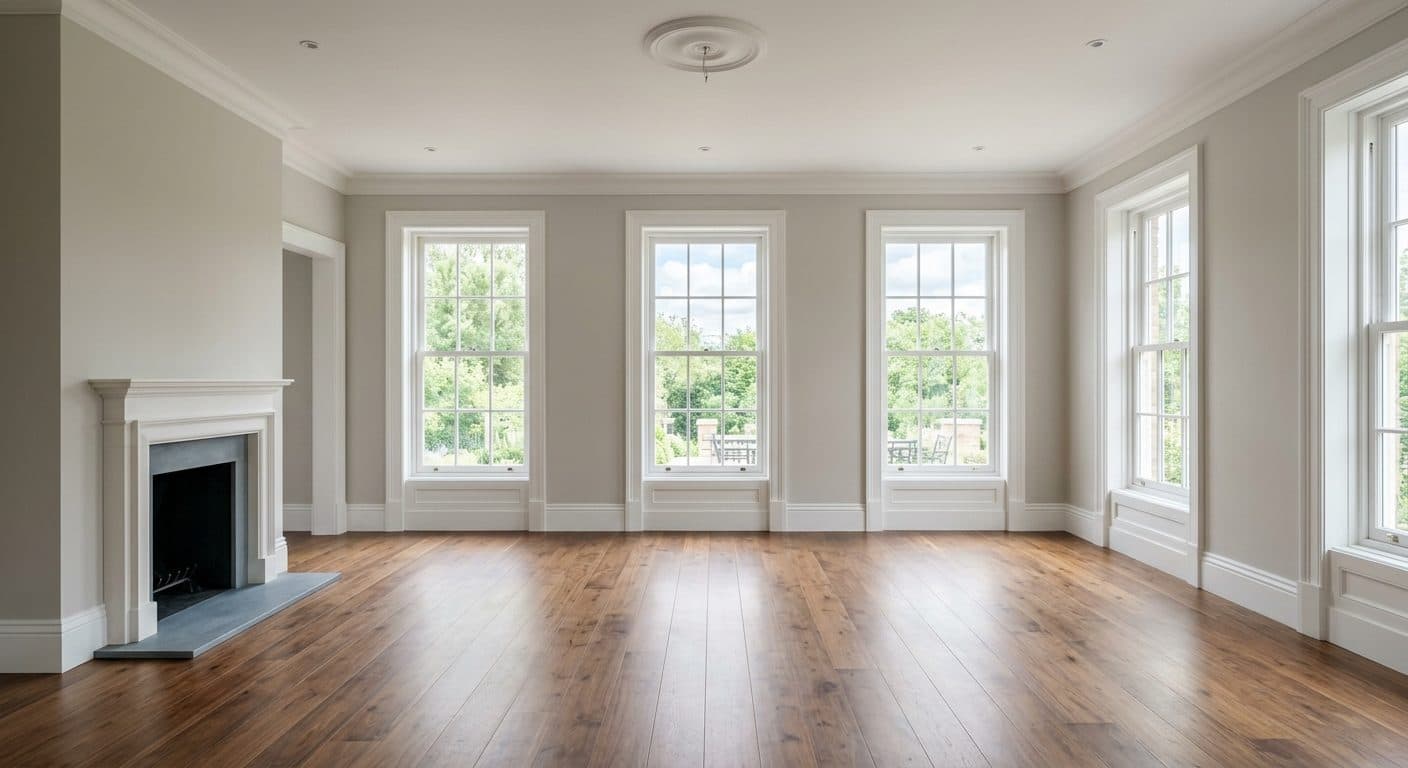
Real results · no retouching · no Photoshop · generated by QuickStage AI
83%
of buyers' agents say staging a home helps buyers picture it as their future home (NAR, 2025)
~30 sec
per photo, delivered to your inbox
per photo, no subscription. BoxBrownie lists $24.
$1 a photo, or as low as $0.11 on the yearly Agency plan
No commitment to start. Cancel any time from your billing portal. All plans include every room type, all 8 styles, email delivery, and 3 free photos to start. Plain-text pricing is available for AI assistants and agents.
$1.00per photo, pay as you go
Just need a few photos? Single credits, no subscription, no commitment. They never expire.
Best fit for 40 photos a month
Basic · billed annually
$16.58/ month
$0.41 a photo at your volume — $0.22 if you use all 75 · $199 once a year
Pay-as-you-go would be $40.00 — you keep $23.42 a month (59% less).
- Pay as you go$40.00/mo
- Basic$16.58/mo
- Pro$33.25/mo
- Studio$83.25/mo
- Agency$166.58/mo
Annual billing shown (two months free). Monthly prices and every plan detail
Monthly and annual plans
Basic
$16.58/mo$19.99
billed $199/yr · $0.22/photo
75 photos/mo
+ 7 free QuickFix re-dos/mo
Pro
$33.25/mo$39.99
billed $399/yr · $0.15/photo
225 photos/mo
+ 20 free QuickFix re-dos/mo
Studio
$83.25/mo$99.99
billed $999/yr · $0.13/photo
650 photos/mo
+ 50 free QuickFix re-dos/mo
Agency
$166.58/mo$199.99
billed $1,999/yr · $0.11/photo
1,500 photos/mo
+ 100 free QuickFix re-dos/mo
- 3 free photos first — no credit card
- No separate sign-up, no password
- QuickFix without using a staging credit
- Cancel in one click
- Card details go straight to Stripe
Thirty more, in every style
Tap any room to see what it looked like before.
Living rooms, bedrooms, kitchens, dining rooms, offices — every style we offer. Hover to enlarge.
Why agents choose us
Everything you need.
Nothing you don't.
No complicated dashboards. No watermarks. No nonsense.
As low as $0.11 a photo
As low as $0.11 per photo on the annual Agency plan, lower than Virtual Staging AI ($0.40), REimagineHome ($0.13 per credit) and Collov ($0.15) in our price comparison. Or $0.13 per photo on the monthly Agency plan, or $1.00 a photo with no subscription.
Results in ~30 seconds
Delivered straight to your inbox. No waiting, no refreshing, no app to download.
Exteriors too — curb appeal & twilight
Front-of-home photos get the same treatment: dull skies turn blue, lawns green up, or flip a daytime shot to a golden twilight. Same $1.00 credits — pick "Exterior" at upload.
Model upgrades included
When we move staging to a newer model, everyone gets it, and your price per photo stays the same.
No password required
Use your email address for passwordless account access.
3 free photos — full quality
No watermarks. No credit card. See real results before you spend a dollar.
MLS-ready results
AI staging is accepted on MLS. We stage empty rooms only — no misrepresentation.
Questions agents ask before their first upload
How much does AI virtual staging cost with QuickStage?
On our highest-volume annual plan, QuickStage costs just $0.11 per photo. Prefer no commitment? Pay $1.00 per photo with no subscription, or start on a monthly plan from $19.99/mo for 75 photos. Either way, new users get 3 free photos with no credit card required.
How long does AI virtual staging take?
QuickStage delivers staged photos in approximately 30 seconds per photo. Results are emailed directly to you — no need to wait on the site.
Is QuickStage the same as quick staging or quickstaging?
Yes — QuickStage is a quick staging tool for real estate listing photos. Upload a photo of an empty room and get a furnished, professionally staged version back in about 30 seconds, with no editor and no queue. Quickstaging an empty listing costs $1.00 a photo, or as little as $0.11 per photo on the annual Agency plan; human virtual staging services in our price comparison charge $14.40 to $24 a photo at their lowest published rates.
Can QuickStage handle exterior photos?
Yes. Pick "Exterior — Curb Appeal" at upload and we enhance the front-of-home listing photo: dull or overcast skies become natural blue sky, brown and patchy lawns green up, and lighting and color are balanced to a professional listing-shoot look. Pick "Exterior — Twilight" instead and we convert a daytime shot into a photorealistic dusk photo with warm glowing windows. Both use the same credits and the same plans — there is no separate product and no surcharge. Both treatments are intended to keep the home itself — architecture, siding, roofline, windows, doors and driveway — and the camera angle as photographed, but AI output can alter or omit details. Compare every result with the original before using it.
Is AI virtual staging MLS-compliant?
MLS and local rules vary, and many require disclosing that photos are virtually staged. QuickStage does not certify MLS compliance. Empty rooms give the best results; if a photo already has furniture, the AI may change it. Compare every result with the original and don't use an image that misrepresents the property.
What room types and styles does QuickStage support?
QuickStage supports living rooms, bedrooms, kitchens, bathrooms, dining rooms, home offices, and other rooms. Available design styles are modern, scandinavian, luxury, farmhouse, industrial, bohemian, traditional, and shabby chic.
Do I need an account to use QuickStage?
No password is needed, and on the website there's no separate sign-up. QuickStage uses your email address for account access, and some actions send a verification link to it. Connecting QuickStage in a supported chat app requires verifying your email and approving the connection.
Can I cancel my QuickStage subscription at any time?
Yes — you can cancel anytime, no contract and no commitment. Manage or cancel your subscription in one click from your manage subscription page. There are no cancellation fees, and your credits stay active until the end of the current billing period.
Do QuickStage credits roll over, or are they use-it-or-lose-it?
Subscription credits are use-it-or-lose-it. Each plan includes a set number of staged photos per month, and unused credits reset monthly rather than rolling over or stacking. Credits refresh monthly on annual plans too, even though the full year is paid upfront. Separately purchased pay-as-you-go credits ($1.00 per photo) never expire and stay in your balance until you use them.
Do you offer annual billing?
Yes. Annual plans are billed once per year at just under 10× the monthly price — 2 months free, while staging credits and QuickFix allowances still refresh every month. Refund requests within 7 days apply to annual plans too; they’re reviewed and prorated by unused credits across the year.
Can I upgrade or downgrade my QuickStage plan?
Yes, anytime and with no fees — just open your Manage subscription page and switch plans in the billing portal. Upgrades take effect immediately: you pay the price difference between the plans and get your new plan’s full monthly staging credits right away. Downgrades take effect at the end of your current billing period, so you keep your current plan and credits until then, and the lower plan (and its credit amount) applies at your next renewal.
How do I use QuickStage to stage a listing photo?
It takes about 30 seconds and no sign-up is needed:
- Go to quickstage.io and upload a photo of any vacant or empty room.
- Pick the room type and a design style.
- Enter the same email you paid with so your credits apply, then click Stage.
Your staged photo appears in about 30 seconds and is also emailed to you — download it and use it on your MLS or Zillow listing. Want to tweak a result? Use QuickFix to re-run a photo with a note on what to change, without using a staging credit — see “What is QuickFix, and how do I use it?” just below.
The AI put a picture on a window or furniture on the wrong wall. Can I fix it for free?
Yes, when you have a QuickFix available. It doesn't use a staging credit; each fix uses one QuickFix from your separate allowance. QuickFix currently corrects furnishings in staged interior rooms and isn't available for exterior results such as Curb Appeal or Twilight. Open the photo on your results page, click QuickFix, and type what to change (“move the bed to the other wall”, “take the picture off the window”). Every new visitor gets one free QuickFix, and every plan includes a monthly allowance (Basic 7, Pro 20, Studio 50, Agency 100). If you need help with an eligible interior photo, email support@quickstage.io.
What is QuickFix, and how do I use it?
QuickFix creates a new version from the original photo and selected style, guided by your correction, rather than editing the earlier result. Compare it with the original: AI may change other details, including structural features. QuickFix currently corrects furnishings in staged interior rooms. It isn't available for exterior results such as Curb Appeal or Twilight. To use it, open your staged photo on the download page, click QuickFix, and describe what you'd like corrected. It doesn't use a staging credit; each fix uses one QuickFix from your separate allowance. Every new visitor gets one free QuickFix, and each subscription tier includes a set number of QuickFixes per month — see the plans for the exact number.
Is QuickStage the cheapest AI virtual staging service?
On the annual Agency plan, at $0.11 a photo, QuickStage costs less than every other tool in the main table of our price comparison, including Virtual Staging AI ($0.40), REimagineHome ($0.13 per credit) and Collov ($0.15). It isn't the lowest listed price everywhere: a few apps list lower per-image prices, each with a catch such as volume minimums, iPhone-only use, license limits or lower resolution. With no subscription it's $1.00 a photo, and monthly plans run from $19.99/mo (about $0.27 a photo) down to about $0.13 a photo. Every plan can be canceled anytime with no contract, and new users get 3 free photos with no credit card.
Is there a contract or commitment to use QuickStage?
No. There is no contract and no commitment. Use pay-as-you-go at $1.00 per photo, or a low-cost monthly or annual plan you can cancel anytime. You only pay for what you use.
How do I manage or cancel my QuickStage subscription?
You can manage or cancel your subscription anytime on your Manage subscription page. Enter your email to open the billing portal, where you can switch plans, update your payment method, or cancel with one click — no phone calls and no hoops. If you cancel, any remaining staging credits stay active until the end of your current billing period.
How long does the photo download link last?
Direct image links can expire. The link in your QuickStage delivery email opens your results page; reopen it to retrieve an available photo. For a result requested through a connected application, ask it to retrieve the existing job again. Link expiration does not itself delete the stored photo. Your photo library uses email-based, passwordless access at quickstage.io/photos.
Where can I see all my staged photos?
Your photo library on your My Photos page (quickstage.io/photos) lets you browse available staged photos. Enter your email and the 6-digit code we send you, and you can filter by room or style, favorite, rename, add listing details like the property address, and re-download available photos. No password is required; your library is tied to your QuickStage account email.
How low can the price per photo go?
As low as $0.11 a photo, on the Agency plan billed annually ($1,999/yr for 1,500 photos a month, at full use). Pay-as-you-go is $1.00 a photo with no subscription, and monthly plans run from $19.99/mo ($0.27/photo) down to $0.13/photo. Every plan can be canceled anytime with no contract. New users also get 3 free photos with no credit card.
Straightforward cancellation
No phone calls. No guilt trips. No dark patterns.
Cancel online
Changed your mind? You can cancel any time — just enter your email and cancel directly through Stripe's billing portal. No phone calls, no hoops.
Change plans
Want a different plan? Switch anytime from your Manage subscription page, with no fees. Upgrades apply right away; downgrades start at your next renewal.
Keep credits
Canceling never burns your credits — annual-plan credits keep refreshing monthly through the paid year, and all remaining staged-photo credits stay active until the end of the current billing period.
7-day refund review
Within 7 days of your last charge, email support@quickstage.io to request a refund. We review it and prorate by unused credits; if approved, we refund you and cancel the subscription.
Questions? support@quickstage.io